
How to choose the right card machine for peak retail sales
Every South African retail business knows the feeling: the store is buzzing, queues are long, and customers are impatient. Then the card machine freezes, or the line drops. In seconds, the energy changes and a sale turns into a sigh.
During high-traffic times like month-end, festive shopping or Black Friday, payment delays don’t just irritate customers; they cost you revenue. The truth is that the right point of sale (POS) payment solutions can keep your store running smoothly, even under pressure. We call this the Queue Conundrum. Customers leave when the wait becomes too long, turning a perfectly good sales opportunity into a frustrating loss.
Every second counts. Reliable POS machines are not a luxury. They’re a revenue safeguard.

What makes a good retail card machine?
A good retail solution is more than a swipe machine. It’s the link between your sale and your payout. The best ones combine speed, portability and local reliability, offering the necessary expertise to merchants.
Here’s what to check before you commit to any retail card machine:
- Speed and Uptime: Choose a portable card machine or speedpoint machine with proven reliability. Anything slower than five seconds per transaction becomes noticeable in queues.
- Contactless Payment Options SA: Tap-to-pay is now the default. Make sure your POS machine supports it and major wallets like Apple Pay, Google Pay and Samsung Pay.
- Affordability: Finding a truly affordable card machine for SMEs means comparing both the upfront card machine price and ongoing per-transaction fees, as well as features. The cheapest device isn’t always the best value.
- Integration: Your POS device should sync automatically with sales, stock and reports.
- Local Support: Choose partners who understand the South African retail industry, from banking cut-offs to fibre outages.
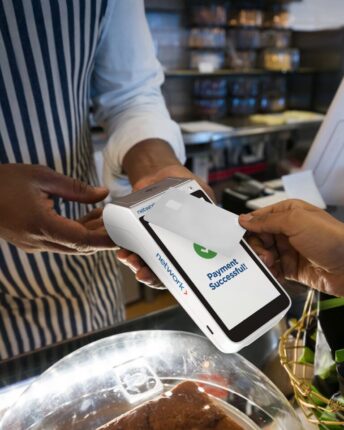
Pro tip: A cheaper device that fails mid-transaction is more expensive in the long run. Reliability beats saving a few rand.
Quick readiness checklist for peak sales days
You can prepare your payment setup in under 30 minutes. Here’s a simple pre-rush checklist:
- Run three live tap transactions and one chip-and-PIN refund test.
- Check your POS system for retail store connectivity, such as SIM cards.
- Charge backup batteries or power banks for any portable card machine.
- Print or enable SMS/email receipts.
- Update your POS software to the latest version.
- Keep support contact details visible at every till.
- Train at least one staff member to handle basic troubleshooting.
Pro tip: The best time to find a payment issue is before your first customer walks in.
How to compare card machines
Retailers often get stuck comparing glossy features instead of practical performance. Always ask for clear fee structures and payout times. Surprises hurt small margins.
Use this short table as a guide to assess your next speedpoint:
| Feature | Why it matters | What to aim for |
|---|---|---|
| Transaction Speed | Directly affects queue time | <5 seconds per tap |
| Connectivity | Backup SIM prevents downtime | Dual network preferred |
| Battery Life | Keeps mobile counters open | At least 8 hours |
| Offline Mode | Keeps sales running during signal drops | Must support batching |
| Payout Timing | Affects cash flow | Same-day or immediate |
| Fees | Hidden costs eat profit | Ask about refunds & chargebacks |
| Receipts | Customers don’t always want one type of receipt | Offer digital and printed receipt options |
Why unified POS systems matter for retail businesses
Modern retailers rarely sell in one place. You might have a store, a weekend market stall and an online shop. Handling all that manually is painful. That’s where unified point of sale systems shine.
With Payfast card machines, in-store and online transactions sync through one retail payment gateway. You get a single dashboard for sales, payouts and reconciliation – and can get access to your money quickly through Immediate Payouts. This unification provides both security and trust.
Explore how our solutions connect your payment channels and other retail solutions.

One account, one dashboard, one payout. Less admin, more selling.
Standby plan for glitches on high-traffic days
Even the best point of sale machines can glitch. Have a plan for when that happens:
- Keep a second POS device ready at another till.
- Set up Payfast’s online payment request so staff can instantly send a link to a customer’s email, accessible by phone.
- Print QR codes for emergency card payment.
- Keep signage handy: “We’re having some issues processing payments right now, please give us a moment.”
A short script helps your staff stay calm. You could plan something similar to: “Apologies, our card system’s updating. We can send a payment link or take EFT right now, what’s easiest for you?”
It sounds small, but a calm team keeps sales flowing even during hiccups.
Pro tip: Small preparation steps turn a potential crisis into a smooth recovery.
Understand your card machine costs
Before signing up for any retail payment system, ask these questions:
- Is there a once off fee, monthly rental, or only a transaction fee?
- What’s the per-transaction rate for card payments under R100 versus above R1 000?
- How are refunds and chargebacks billed?
- Is there a minimum transaction volume?
- How long do payouts take after weekends or public holidays?
Example: if you process R50 000 in card sales a month and pay 2.5% per transaction, you’ll spend R1 250 in fees. But with same-day payouts, you might save that in cash-flow flexibility alone.
Pro tip: The cheapest card machine isn’t always the most affordable card machine for SMEs once you factor in potential downtime, fees and slow payout delays.
Security and compliance you can trust
Security is non-negotiable. Your customers expect their card data to be protected and compliance with PCI DSS standards is the minimum benchmark. Leading payment partners go beyond compliance. They invest in encryption, tokenisation and fraud prevention tools that keep your retail transactions safe.
When comparing providers, ensure they:
- Are fully PCI DSS compliant.
- Offer end-to-end encryption on all transactions.
- Regularly update their systems to meet banking security standards.
Pro tip: Using an established, compliant retail payment gateway gives your customers peace of mind and protects your reputation.